How to use this template
- Fill in the semester page — copy every exam, project and report date from each syllabus, plus office hours and review sessions.
- Block the fixed time — shade lectures, recitations and labs on the weekly grid first, since they cannot move.
- Log the work — add each problem set and lab report with its due date to the trackers.
- Place study blocks — put problem-set blocks soon after the matching lecture and a write-up block within two days of each lab.
- Pick three priorities — choose the three things that must be done this week, starting with the nearest exam on the countdown.
Tip: Fill in office hours on the semester page even if you never plan to go. When a problem set goes wrong on a Tuesday night, you will know the next slot without searching.
Example: a completed template
Example One week (Monday 2027-02-15 to Sunday 2027-02-21) for a fictional sophomore taking Statics, Calculus III, Physics II with its lab, and Materials Science. Times, courses and dates are invented for illustration.
Top 3 priorities
- Finish Calculus III problem set 6 (due Thu)
- Start the Physics II lab 4 write-up by Thursday
- Submit the overdue lab 3 report and ask about the late policy
Time blocks
| Day | Classes and labs | Study blocks | Office hours / review |
|---|
| Mon | Statics 9–9:50, Calc III 11–11:50, Materials 2–3:15 | Statics HW 5, problems 1–3 (3–4:30) | — |
| Tue | Physics II 10–11:15, Physics lab 1–3:50 | Calc III PS 6 (7–9 PM) | — |
| Wed | Statics 9–9:50, Calc III 11–11:50, Materials 2–3:15 | Lab 4 data and plots (4–5:30) | Calc III office hours 3–4 |
| Thu | Physics II 10–11:15 | Lab 4 write-up draft (1–3); finish PS 6 | Physics review session 6–7 PM |
| Fri | Statics 9–9:50, Calc III 11–11:50, Materials 2–3:15 | Statics HW 5, problems 4–6 (12–1:30) | Statics office hours 4–5 |
| Sat | — | Materials reading, ch. 7 (10–11:30) | — |
| Sun | — | Weekly plan (7–7:30 PM); lab 4 final pass | — |
Problem-set tracker
| Course | Set | Assigned | Due | Status |
|---|
| Statics | HW 5 | 2027-02-15 | 2027-02-22 | In progress |
| Calculus III | Problem set 6 | 2027-02-11 | 2027-02-18 | Not started |
| Materials Science | Reading, ch. 6 | 2027-02-10 | 2027-02-17 | Done |
Lab and report deadlines
| Course | Report | Lab held | Start write-up by | Due |
|---|
| Physics II | Lab 3 report | 2027-02-02 | 2027-02-04 | 2027-02-12 (overdue) |
| Physics II | Lab 4 report: RC circuits | 2027-02-16 | 2027-02-18 | 2027-02-23 |
Exam countdown (as of Monday 2027-02-15)
| Course | Exam | Date | Days left | Review starts |
|---|
| Physics II | Exam 1 | 2027-02-26 | 11 | 2027-02-16 |
| Statics | Exam 2 | 2027-03-04 | 17 | 2027-02-22 |
| Calculus III | Midterm | 2027-03-09 | 22 | 2027-02-27 |
| Materials Science | Midterm | 2027-03-11 | 24 | 2027-03-01 |
The math in this Example
- Physics II Exam 1 countdown: 2027-02-26 − 2027-02-15 = 11 days
- Statics Exam 2 countdown: 2027-03-04 − 2027-02-15 = 17 days (13 days left in February + 4 in March)
- Statics review start: 2027-03-04 − 10 days = 2027-02-22, ten days of short review blocks before the exam
- Lab 4 write-up start: lab on Tue 2027-02-16 + 48 hours = Thu 2027-02-18
- Lab 3 report: 2027-02-12 − 2027-02-15 = −3 days, so it shows as Overdue in the Excel tracker
- Statics % complete in the tracker: 1 item Done ÷ 3 Statics items × 100 = 33%
A simple planning method
This is practical advice from how engineering courses are structured, not a study system with claimed results. Adjust it to your own schedule.
- Plan backward from exam dates. Put every exam on the semester page in week one, then count back to the day review starts. For a midterm, a week or more of short review blocks beats one long night.
- Do problem sets soon after the lecture. The method is freshest the same day or the next. Start with a couple of problems right after class, even if the set is due next week.
- Start lab write-ups within 48 hours. Your notes, data and memory of what went wrong fade quickly. A rough draft of the method and results on day two makes the final report much easier.
- Plan the week on Sunday. Ten minutes with the semester page and last week’s leftovers is enough to fill in the grid and pick three priorities.
- Use office hours before you are stuck for days. Bring a specific problem and what you tried.
Frequently asked questions
Is the study planner really free?
Yes. The printable PDF and the Excel tracker are free downloads with no sign-up. Print as many copies as you like.
Will the PDF print on A4 paper?
Yes. It is US Letter with margins wide enough that printing on A4 at actual size or "fit to page" does not cut anything off. It uses black lines and text only, so it is light on ink.
What does the Excel tracker calculate?
Days until each item is due, an Overdue flag that turns the row red, % complete for each course and how many open items are due in the next 7 days. The as-of date is TODAY(), so it updates whenever you open it.
Does it work in Google Sheets?
Yes. Upload the .xlsx to Google Drive and open it with Google Sheets. The formulas, status dropdown and overdue highlighting carry over.
How many courses does the tracker handle?
Six course names at the top of the sheet feed the Course dropdown and the % complete lines. You can type another course into the Course column; it just will not get its own % complete line.
Study tools
From the Coplain shop · made by Coplain
Want the full year on your tablet?
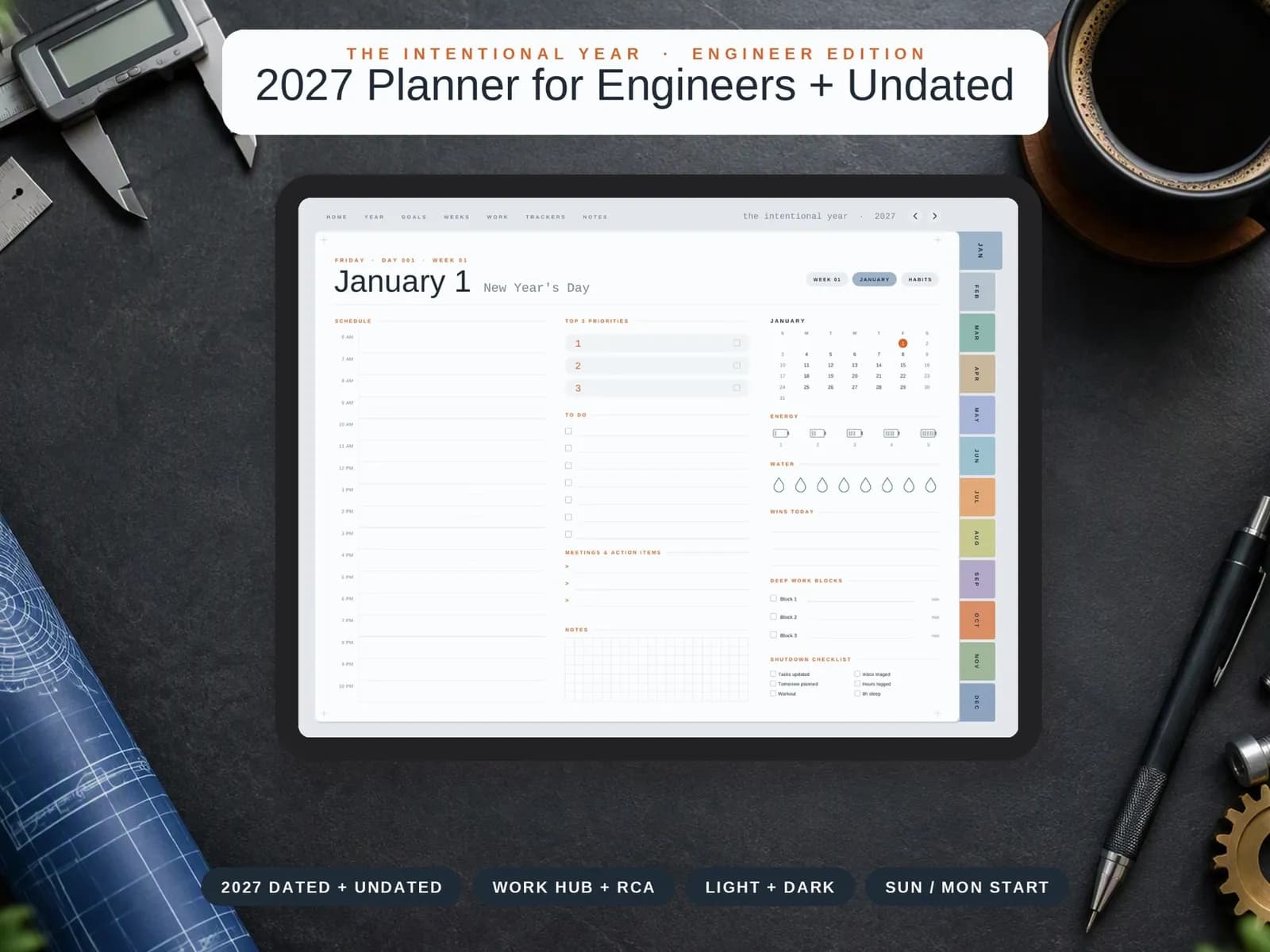
The 2027 Engineer Edition: 365 daily pages with deep work blocks, an engineering notebook and a side-project log — dated and undated.
- 2027 dated + undated: two planners in one purchase
- Problem Solving page with fishbone (6M) and 5 Whys
- Work Hub: project dashboard with RAG status, decision log, PDH log
Just want a beautiful everyday planner? See the 2027 Digital Planner → (opens Etsy in a new tab)
COPLAIN AI PLATFORM
Generate yours automatically from your existing docs
Coplain builds tools for engineers. Once you are on the job, it turns procedures and drawings into clear work instructions and audit-ready documents.
Generate yours automatically with Coplain →