2027 Planner for Engineers + Undated
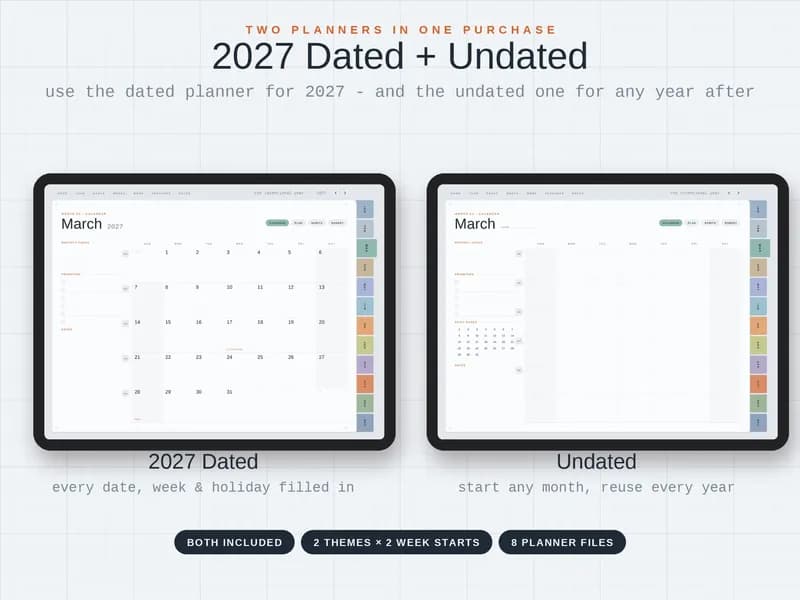
A digital planner built around how engineers work: weekly spreads with sprint goals and blockers, a Work Hub for projects, meetings and decisions, and a Problem Solving page with a fishbone and 5 Whys. You get a 2027 dated planner and an undated planner in one purchase, each in light and dark themes with a Sunday or Monday week start.
Photos
What's inside
Planning
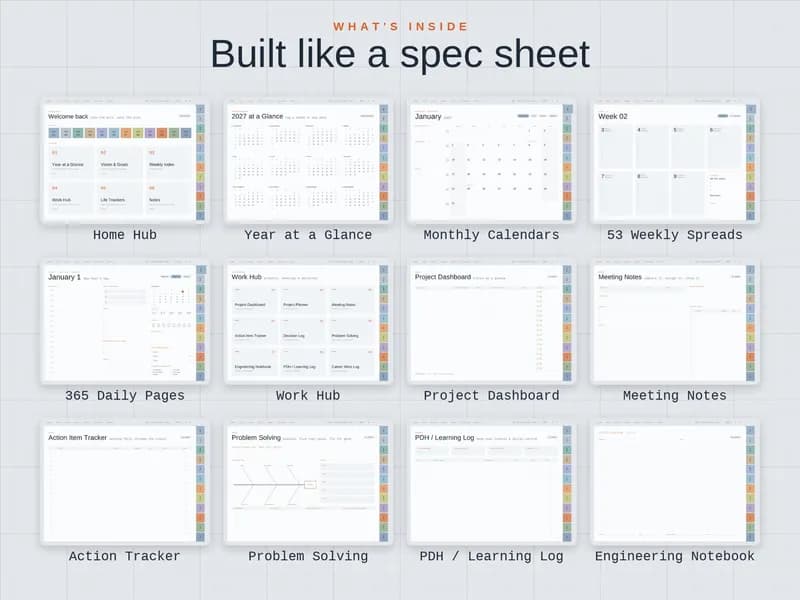
- Home Hub
- Year at a Glance
- Monthly Calendars
- 53 Weekly Spreads (with sprint goals and blockers)
- 365 Daily Pages
Work Hub
- Project Dashboard with RAG status
- Project Planner
- Meeting Notes
- Action Item Tracker
- Decision Log
- Problem Solving
- Engineering Notebook
- PDH / Learning Log
- Career Wins Log
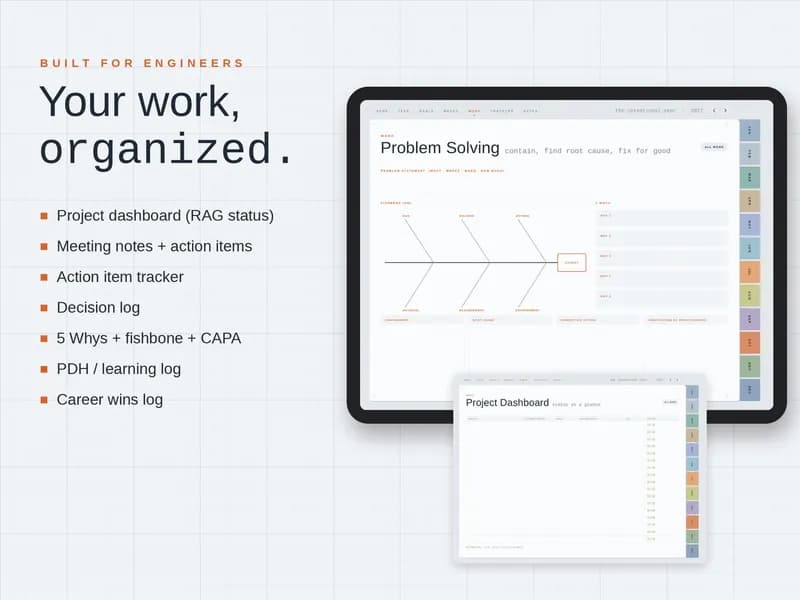
Problem Solving page
- Problem statement: what · where · when · how much
- Fishbone (6M): man, machine, method, material, measurement, environment
- 5 Whys
- Containment
- Root cause
- Corrective action
- Verification of effectiveness
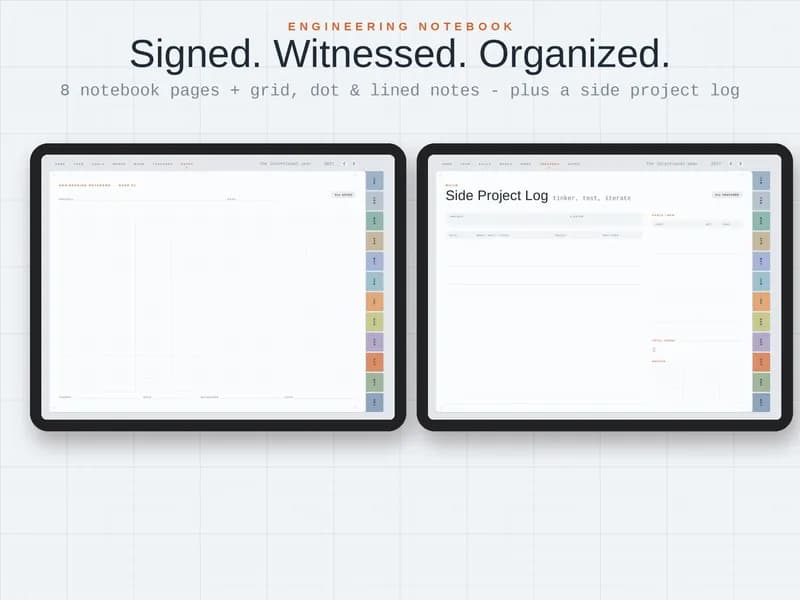
Engineering Notebook and Side Project Log
- 8 notebook pages with project, date, signed and witnessed fields
- Grid, dot and lined notes
- Side Project Log: date / what I built or tried / result / next step
- Parts / BOM with qty and cost, and total spent
- Sketch area
Life and notes
- Life Trackers
- Notes
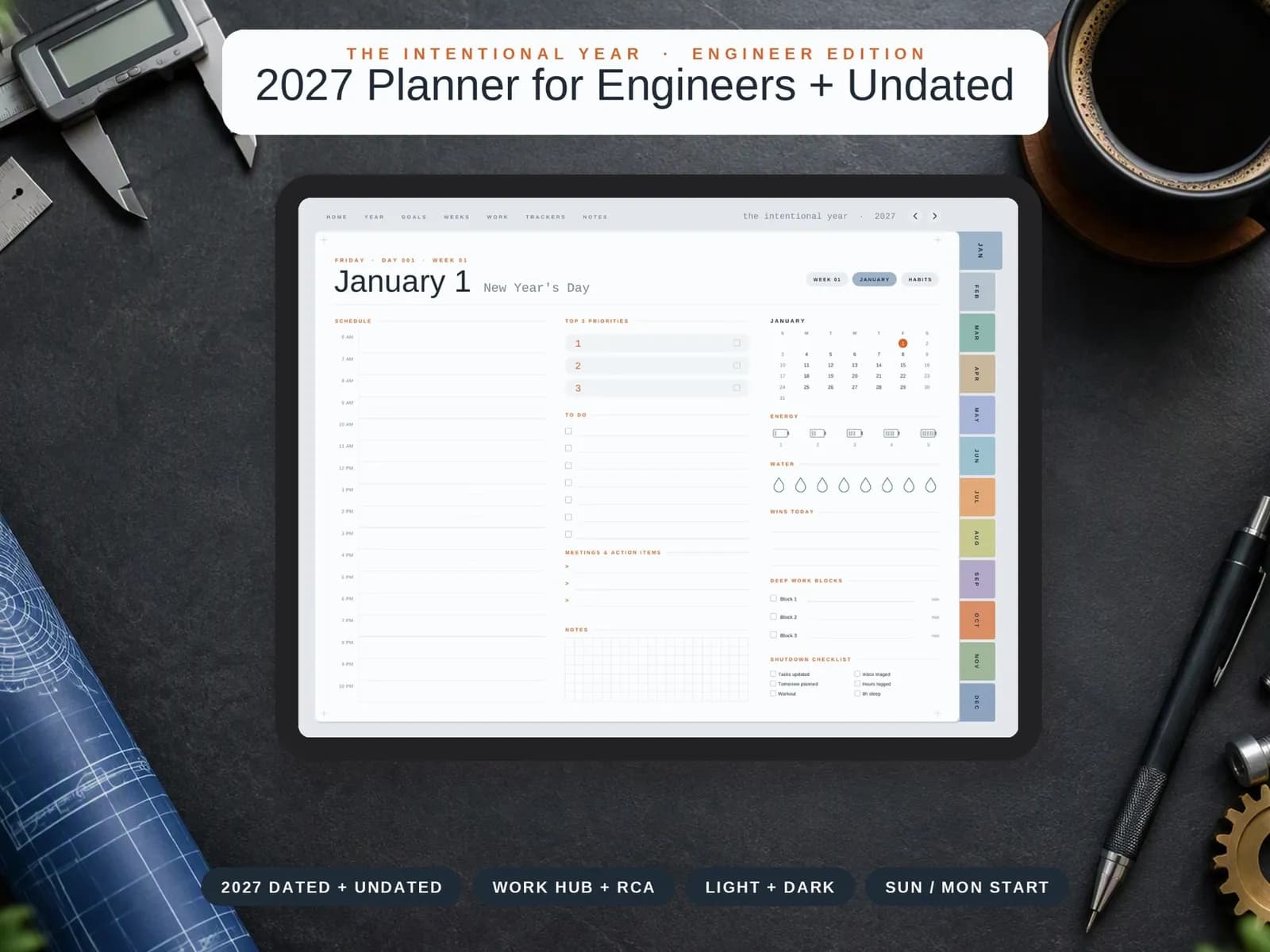
The daily page
- Hourly schedule, 6 AM–10 PM
- Top 3 priorities
- To-do list
- Meetings & action items
- Grid notes
- Energy rating
- Water
- Wins today
- 3 deep work blocks
- Shutdown checklist: tasks updated, inbox triaged, tomorrow planned, hours logged, workout, 8h sleep
Dated + undated: two planners in one
The 2027 dated planner has every date, week and holiday filled in, so you can start writing on January 1.
The undated planner lets you start in any month and reuse it every year. Both come in light and dark themes with a Sunday or Monday week start: 2 themes × 2 week starts, 8 planner files in all.
Who it's for
Working engineers and engineering students.
How to use it
The Engineer Edition listing doesn't state which apps it supports, so check the Etsy listing before you buy. For reference, here is how GoodNotes and Notability import a file, from their own help pages.
GoodNotes
- In the Documents tab, tap New and import the planner file.
- Or, on iPhone or iPad, share the file to Goodnotes from another app such as Files.
Notability
- In the Library, press and hold +New, then select Import.
- Choose where the file is saved: Files, Dropbox, Google Drive, OneDrive, Box or WebDAV.
- Or share the file to Notability from another app.
Frequently asked questions
How do I get the planner?
It is an instant digital download. You buy it on Etsy and download the files from your Etsy purchases. Nothing is shipped.
What's the difference between the dated and undated planners?
The 2027 dated planner has every date, week and holiday filled in. The undated planner has blank dates, so you can start any month and reuse it every year. You get both.
Which theme and week start do I get?
All of them: light and dark themes, each with a Sunday or a Monday week start. That is 8 planner files.
Which apps does it work with?
The Engineer Edition listing does not name specific apps. Check the Etsy listing, or message the shop, before you buy if you rely on a particular app.
What is on the Problem Solving page?
A problem statement (what, where, when, how much), a fishbone with the 6M categories, 5 Whys, containment, root cause, corrective action and verification of effectiveness.
Who makes it?
Coplain makes it. It is sold through the Coplain shop on Etsy, and checkout happens on Etsy.
Free on Coplain
Coplain also publishes free engineering lessons, calculators and templates. No sign-up needed.
Other editions
From the Coplain shop · made by Coplain
Get the planner
Checkout, the download and any questions about your order are handled on Etsy.
See it on Etsy (opens Etsy in a new tab)