2027 Digital Planner + Undated
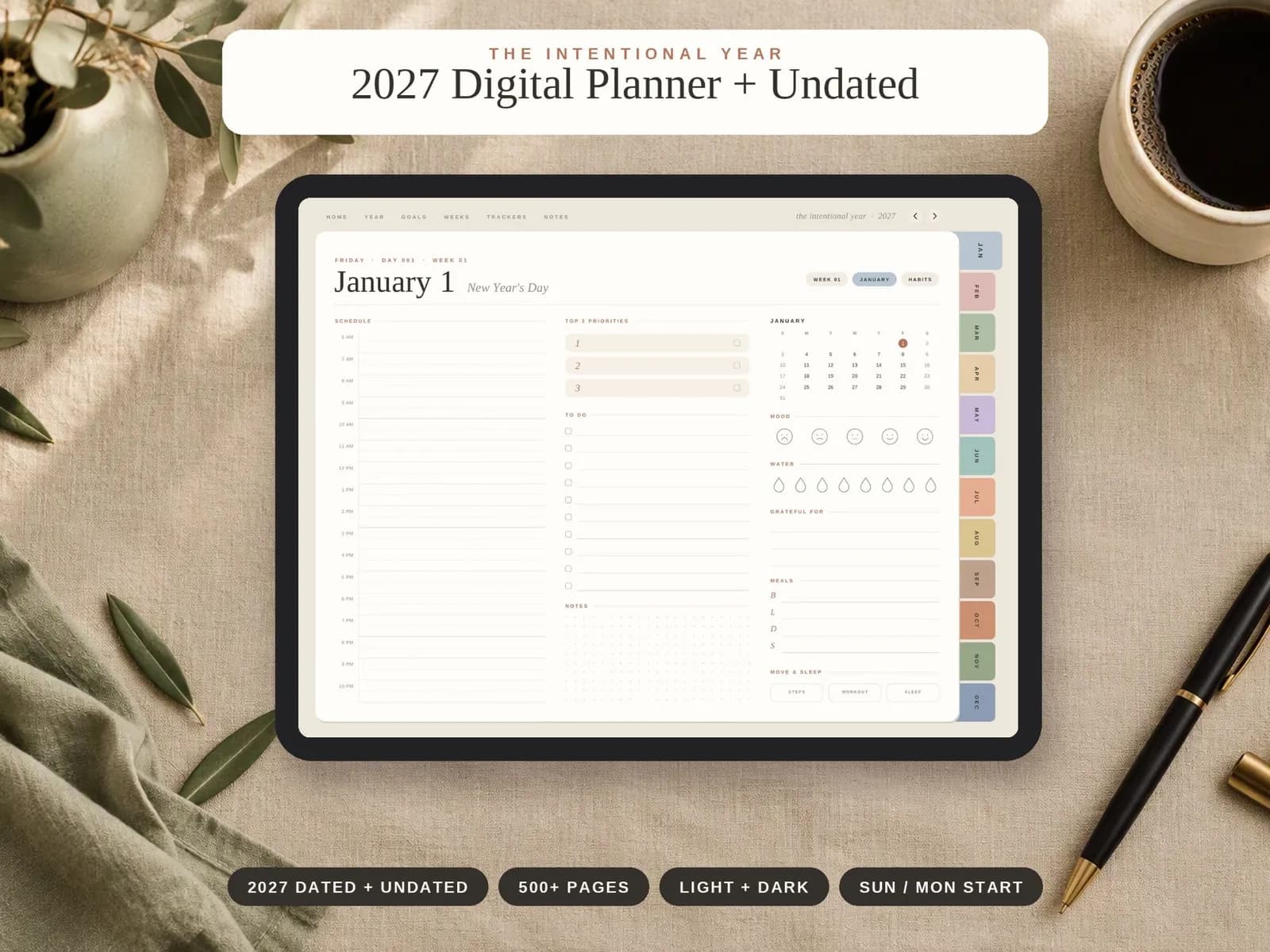
A fully hyperlinked digital planner with 500+ pages: yearly goals, monthly calendars and budgets, 53 weekly spreads and 365 daily pages. You get a 2027 dated planner and an undated planner in one purchase, in light and dark themes with a Sunday or Monday week start.
Photos
What's inside
Year and goals
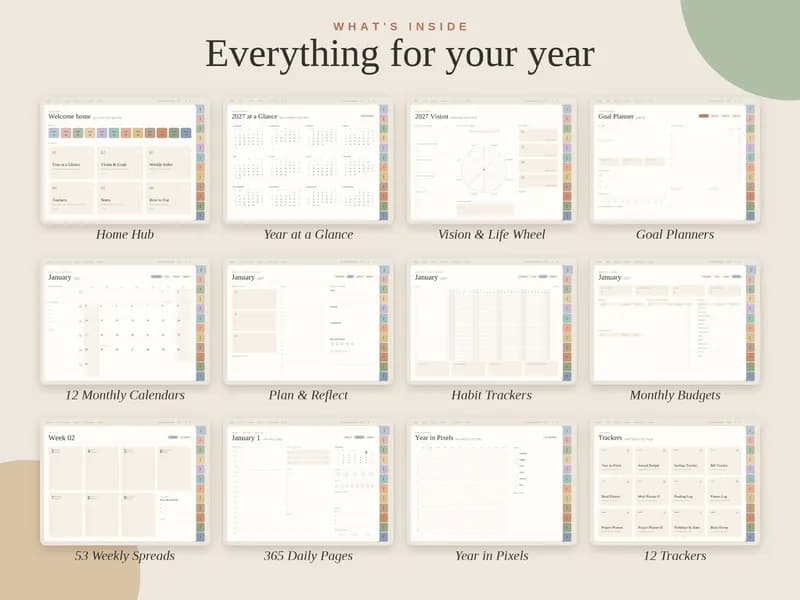
- Home Hub
- Year at a Glance (2027 & 2028 overviews)
- Vision & Life Wheel
- Goal Planners
- Year in Pixels
Months, weeks and days
- 12 Monthly Calendars
- Plan & Reflect
- Habit Trackers
- Monthly Budgets
- 53 Weekly Spreads
- 365 Daily Pages
12 trackers
- Year in Pixels
- Annual Budget
- Savings Tracker
- Bill Tracker
- Meal Planner
- Meal Planner II
- Reading Log
- Fitness Log
- Project Planner
- Project Planner II
- Birthdays & Dates
- Brain Dump
Notes
- 20 lined, dotted, grid & blank pages
Hyperlinks
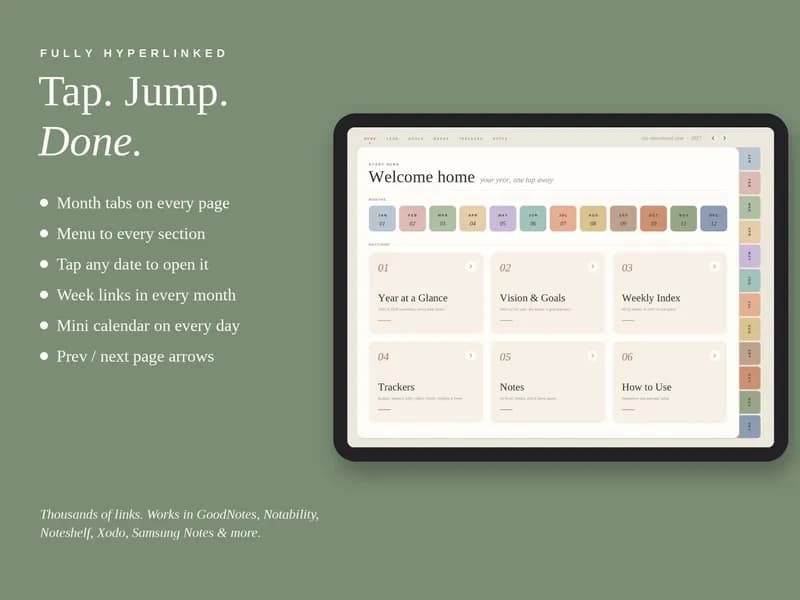
- Month tabs on every page
- Menu to every section
- Tap any date to open it
- Week links in every month
- Mini calendar on every day
- Previous / next page arrows
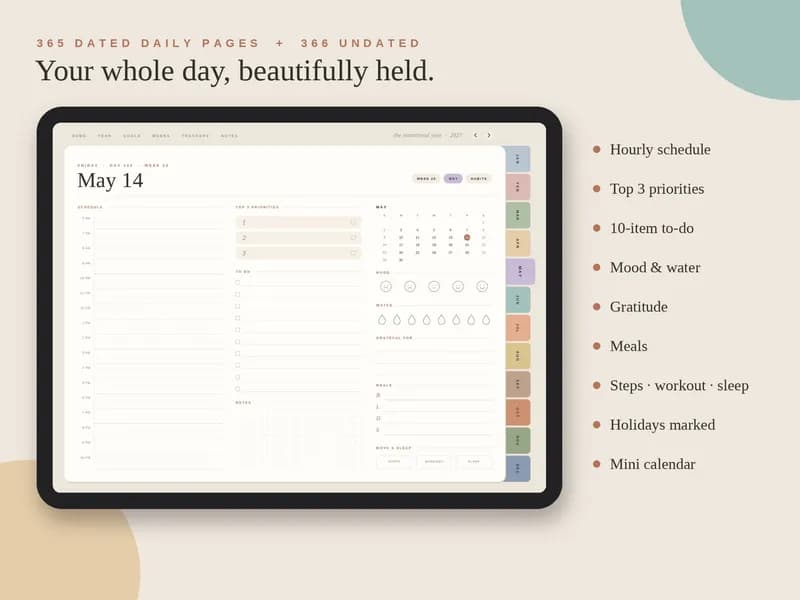
The daily page
- Hourly schedule
- Top 3 priorities
- 10-item to-do list
- Mood & water
- Gratitude
- Meals
- Steps · workout · sleep
- Holidays marked
- Mini calendar
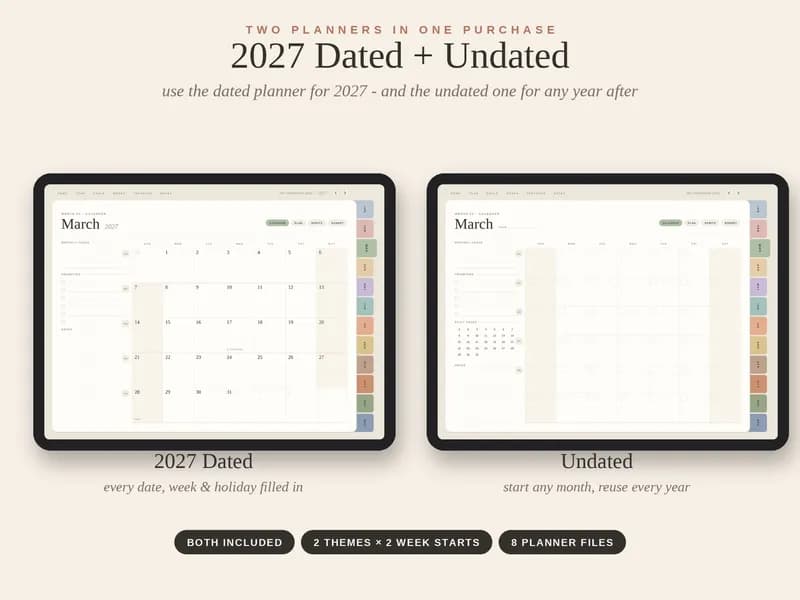
Dated + undated: two planners in one
The 2027 dated planner has 365 dated daily pages, ready to use from January 1.
The undated planner has 366 daily pages with blank dates, so you can start any month and reuse it every year. Both come in light and dark themes with a Sunday or Monday week start: 2 themes × 2 week starts, 8 planner files in all.
Who it's for
Anyone who wants one place to plan the year, the week and the day.
Works with GoodNotes, Notability, Noteshelf, Xodo, Samsung Notes and more.
How to use it
Download the planner files from Etsy, then import them into your note-taking app. Here is how GoodNotes and Notability do it, from their own help pages.
GoodNotes
- In the Documents tab, tap New and import the planner file.
- Or, on iPhone or iPad, share the file to Goodnotes from another app such as Files.
Notability
- In the Library, press and hold +New, then select Import.
- Choose where the file is saved: Files, Dropbox, Google Drive, OneDrive, Box or WebDAV.
- Or share the file to Notability from another app.
Frequently asked questions
How do I get the planner?
It is an instant digital download. You buy it on Etsy and download the files from your Etsy purchases. Nothing is shipped.
What's the difference between the dated and undated planners?
The 2027 dated planner has 365 dated daily pages. The undated planner has 366 daily pages with blank dates, so you can start any month and reuse it every year. You get both.
Which apps does it work with?
GoodNotes, Notability, Noteshelf, Xodo, Samsung Notes and more, as stated on the Etsy listing.
What does "fully hyperlinked" mean?
Every page has month tabs and a menu to every section. You can tap any date to open it, jump to a week from its month, use the mini calendar on each day, and move with previous and next page arrows.
Which theme and week start do I get?
All of them: light and dark themes, each with a Sunday or a Monday week start. That is 8 planner files.
Who makes it?
Coplain makes it. It is sold through the Coplain shop on Etsy, and checkout happens on Etsy.
Free on Coplain
Coplain also publishes free engineering lessons, calculators and templates. No sign-up needed.
Other editions
From the Coplain shop · made by Coplain
Get the planner
Checkout, the download and any questions about your order are handled on Etsy.
See it on Etsy (opens Etsy in a new tab)